Onduleur Superwatt régime TT du neutre pas aux normes en mode autonome / Off Grid

Description of the floating neutral phenomenon when some inverters go into autonomous mode.

**** Beware, electricity is dangerous because it is invisible, silent and odorless.

The consequences can be fatal if you do not master this subject ****

The neutral is no longer grounded, so it is in floating mode. 110V on the blue and 120V on the phase.
This would not be a problem if it did not put your electrical box out of play and especially the differentials that can no longer detect a leakage current and therefore break.
I do not understand how these inverters can be sold in France ?

Explanatory video below

[yotuwp type= »videos » id= »z6DRaXrBN1M » ]

The no-load consumption of the inverter?

A recurring question concerning the no load consumption of the inverter. So off-grid consumption.

good evening
some people complain about the consumption of the inverter, how much is it?
thanks

What I can say is that it consumes 26 VA (~26 W) at the time I did the test.

There is also a loss of efficiency of about 30 to 90 W depending on the type of load of the house. For example, if the house consumes 230 W, the inverter will take 260 W from the solar panels.

he data displayed are those of the Linky, therefore reliable.

In autonomous mode, Off Grid, the inverter consumes 26 VA on EDF If I disconnect the inverter from EDF, there is effectively no more consumption
Consommation à vide de l'onduleur

I was well in Off Grid mode

Demo modification of parameters via 4-way wireless switch

I have put in function a 4 ways Zigbee wireless switch which allows me now to modify the parameters of the inverter from anywhere in the house!

[yotuwp type= »videos » id= »cuvNBDqRrxo » column= »1″ per_page= »1″ player= »mode=popup&width=600&autonext=0&thumbnails=0″]
The goal today is to modify the parameter 01, this one acts essentially on the fact to use the 230V EDF network or to put itself in Offline mode, thus totally autonomous, full solar.
This time I do not do it via the interface of my software, but via buttons immediately accessible.
This is very useful to adapt to the light conditions which can be changing and unstable. It’s easy to press a button!

All this always works without sending any information on the Net!
Here is the demo in real operation


Smart ED car recharge for less than 1€ for 500 Km

Here is a sharing of information about charging my used Smart Electric Drive.

The car charger regulates an average of 1.9kW on my home 16A outlet.
As a result, not producing enough to cover my needs at home + the car, total of about 2.3kW, the inverter would dip into the battery pack to make up the difference. The last thing I needed to recharge a battery was to dip into another battery pack :!:

So, on the inverter I have switched the parameter 01 to SOL during the charge (in an automated way).
As a result, the batteries of the inverter are not solicited anymore, the PV generates what it can, today about 2 kW.

This made a difference of 300 W on average to be taken from EDF.

On the load which lasted from 12h00 to 15h10, the car in load consumed 6.6 kWh to pass from 65 % to 100 %. Estimate to go from 65 km estimated to 143 km meter.
Knowing that 87 % were produced by my solar panels, the load cost me 6.6 kWh * 0.16 cts/kWh * 13 %, that is to say 14 cents for approximately 78 km potential.

If we transfer these values to the 100 km, it makes 18 cents. Or less than 1€ for 500 km
If I’m not mistaken in my figures, it’s really impressive.:sun:

And when the sun is higher in the sky again, the panels can provide 3.5 kW, so recharging will be totally free.
This is clearly a good thing.

Below the graph of the charge and the observed consumption:
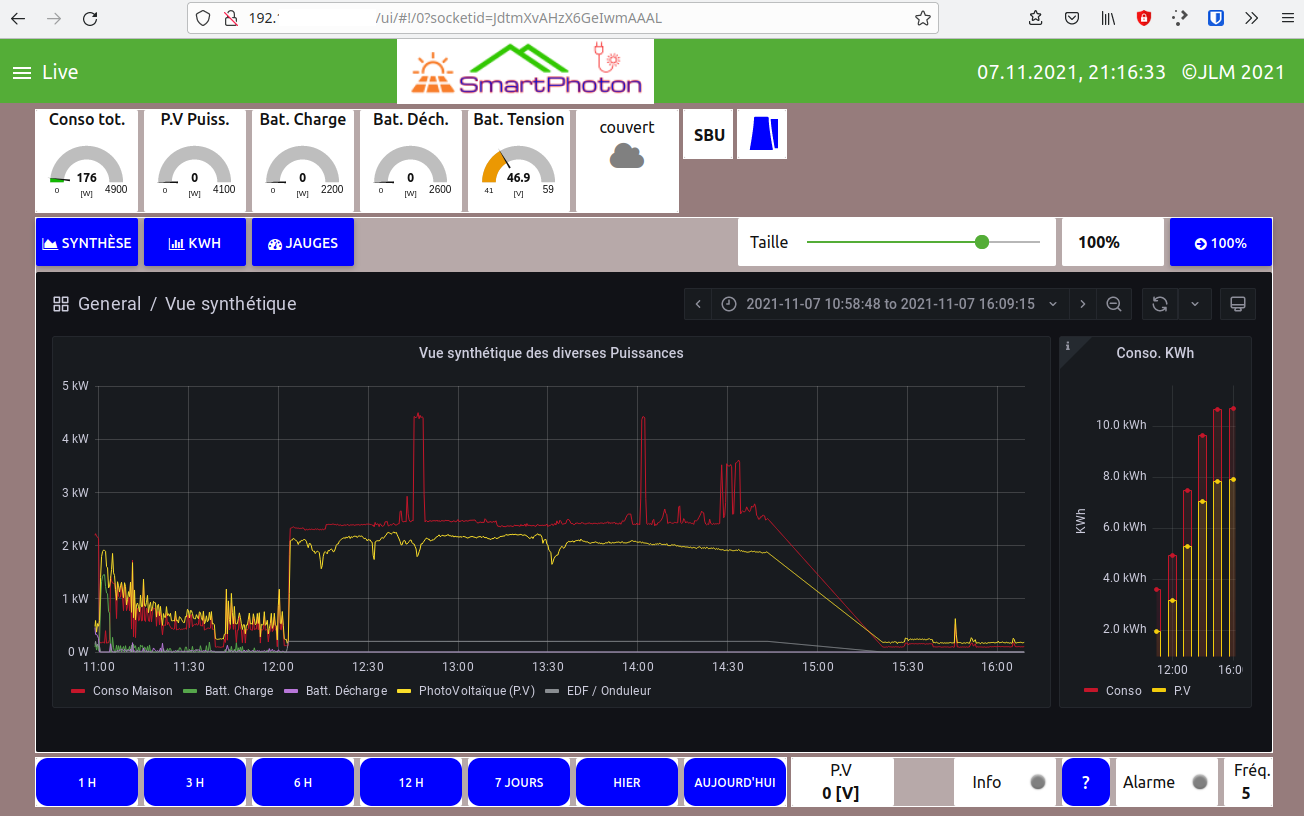
and the energy consumed

Prerequisites

Prerequisites to run the software.

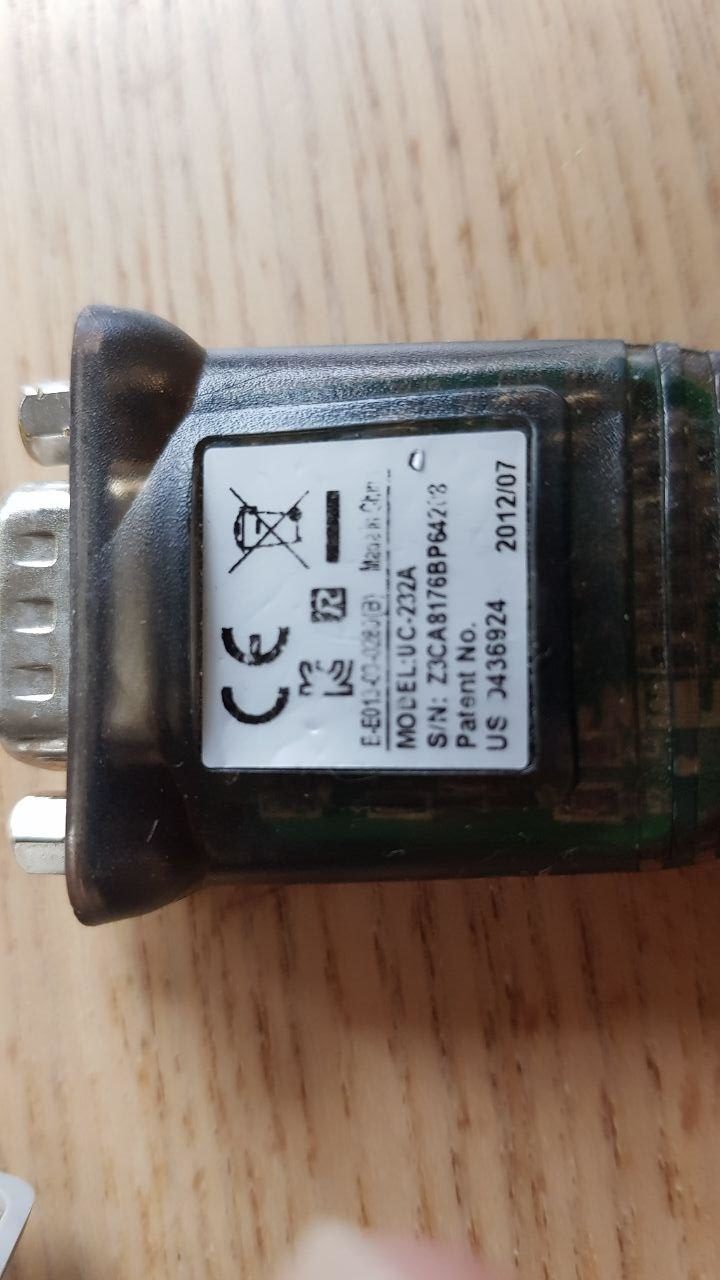
You must have a communication port like these.

The best one is the USB one, because it connects directly to the Raspberry Pi.

Otherwise, you need an RS232 → USB level conversion cable.

Obviously a Rapsberry 3, 3+ or 4.